
Remote IT support across the UK
Your company doesn’t have a building. It still needs everything a building used to give it. We’re a Burgess Hill IT team, supporting businesses and charities since 1996, and we look after your helpdesk, security and Microsoft 365 wherever your people open their laptops.
- NCSC Assured Service Provider
- 2-hour response for critical issues
- From £65 per user
The office you don’t have
Every room in an office did a job. Your company still needs those jobs done. Pick a room to see what does it now.
Floor planHead office: not required
- The kit
- The people
- The locks
Front door
With a buildingA lock, a key fob and a receptionist who knows your face.
Without oneEvery sign-in is checked, with multi-factor authentication and Conditional Access deciding who gets in, from where.
Microsoft 365 Business PremiumReception
With a buildingSomeone answers the main number and puts calls through.
Without oneA cloud phone system that works on laptops and mobiles. We keep your numbers, and you can add local numbers for other areas.
Phone systems and VoIPMeeting room
With a buildingBook the room, find the remote, apologise to whoever is dialling in.
Without oneMicrosoft Teams for calls and chat, with documents your whole team can work on, set up and supported by us.
Microsoft 365 setup and supportFiling room
With a buildingCabinets, keys and one person who knows where everything is.
Without oneSharePoint and OneDrive, so company files don’t live on one laptop, with a clear view of who can reach what.
SharePoint permissions reviewThe IT desk
With a buildingYou walk down the corridor and ask.
Without oneOne helpdesk for your whole team, 8am to 6pm, Monday to Friday, with a 2-hour response for critical issues and no call-out charge for remote support under contract.
Managed IT support and helpdeskComms cupboard
With a buildingA warm cupboard full of blinking boxes.
Without oneNothing to house. Microsoft 365 and cloud phones don’t need one. If you keep a small base somewhere, we can sort its business broadband too.
Business broadbandStock cupboard
With a buildingSpare laptops on a shelf, and someone to set them up.
Without oneIntune lets you secure, update and remotely wipe laptops and phones, including lost or stolen ones. New machines are quoted separately.
How Intune fits inFire safe
With a buildingThe important papers, and hopefully a recent backup.
Without oneStandard Microsoft 365 backup for every supported user. Server and NAS backup, full PC image backup and disaster recovery are quoted separately.
Backups and business continuityBurglar alarm
With a buildingIt rings when someone gets in overnight.
Without oneEndpoint detection and response runs 24/7, monitored by a security operations centre. Cyber Essentials is assessed remotely, so having no premises doesn’t stop you certifying.
Cyber securityTraining room
With a buildingEveryone round one table, looking at one projector.
Without oneAI readiness, including Microsoft Copilot, so your team can use it safely wherever they work.
AI readinessHow remote-only support works
One helpdesk for your whole team
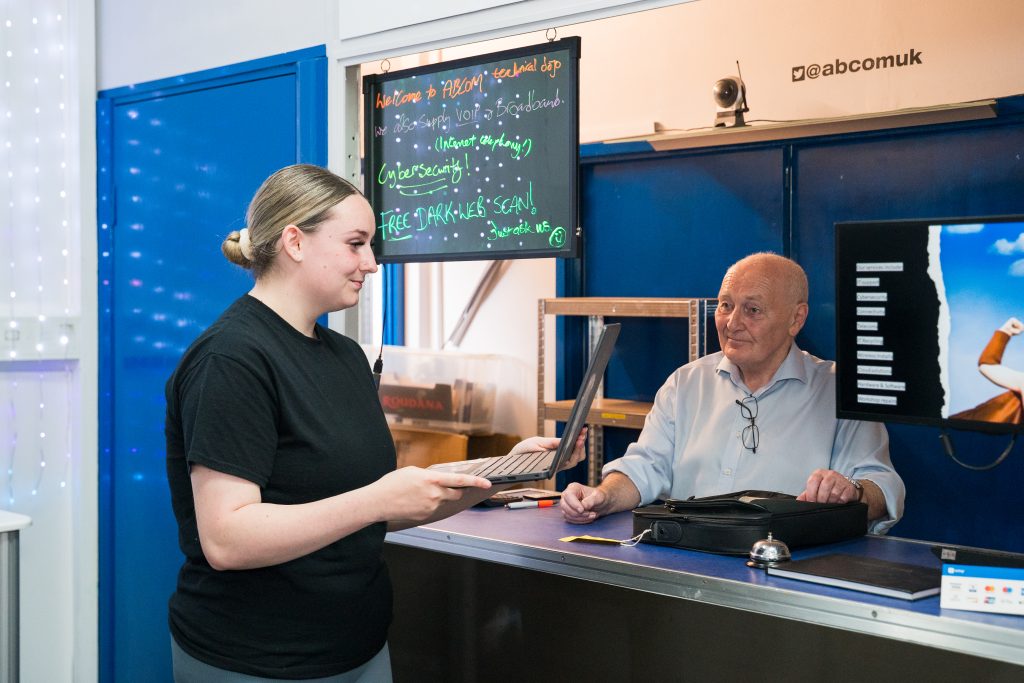
Your staff contact our helpdesk (8am to 6pm, Monday to Friday) and we fix most issues remotely.
2-hour response for critical issues
However spread out your team is, it’s the same helpdesk and the same response.
Proactive support
We look after your devices, Microsoft 365 and security so problems are caught early.
Remote helpdesk included
There is no call-out charge for remote support under contract.
On-site help when you need it
We have partners who cover the areas below, and we schedule on-site support for you through our helpdesk, so you still deal with one team.
Your colleagueBad news. I’ve left my work laptop on the train.
ABCOM helpdeskThanks for telling us quickly. We can lock it and wipe it remotely, so it’s no use to whoever finds it.
Your colleagueWhat about everything on it?
ABCOM helpdeskYour files are in OneDrive and SharePoint, not on that laptop.
ABCOM helpdeskSign in on a replacement and carry on where you left off.
Your colleagueThat’s it?
ABCOM helpdeskThat’s it. Maybe not the luggage rack next time.
An example to show how it works, not a real client.The laptop left on the train
In an office, the laptop stays on a desk. In a remote company it goes everywhere you do. Set up properly, losing one is a bad day, not a disaster.
- The files were never on itCompany files sit in OneDrive and SharePoint, so they stay where they are when a laptop goes missing.
- The laptop can be wipedIntune, part of Business Premium, lets you remotely wipe lost or stolen laptops and phones.
- Someone answersYour team contacts one helpdesk, wherever they are, with a 2-hour response for critical issues.
Day one, at a kitchen table
In an office, someone hands a new starter a laptop and shows them where things are. Here is how it works when there is no office to walk into.
You tell us
Send the helpdesk a name and a start date.
Accounts and licences
We keep staff accounts and licences in order, and track changes as people join and move.
Laptop ready
New machines are quoted separately, and we secure them before they are used.
Day one
They open the laptop wherever they are, and sign in to their email, files, Teams and phone.
- Access offWe flag leavers who still have access, so nobody keeps a way in.
- Licence stoppedZombie accounts cost money every month. Our free licence review finds them.
- Laptop dealt withWiped remotely, or recycled securely through our IT recycling service.
Who we help
Most of what we do needs no visit at all, so your team can be spread across the country. For the times someone does need to be on site, our partners cover these areas.
Manchester
Remote IT support for Manchester businesses and charities: helpdesk, Microsoft 365, cyber security and Cyber Essentials, delivered by our Burgess Hill team, with on-site visits arranged through our partners when needed.
Scotland: Glasgow, Edinburgh, Stirling and Ayrshire
Remote IT support for organisations in Glasgow, Edinburgh, Stirling and Ayrshire. Our partners cover these areas, and we schedule any on-site support through our helpdesk. Cyber Essentials is a UK-wide scheme, so we can guide you through certification wherever you are.
Coventry
Remote IT support for Coventry businesses, including managed IT, Microsoft 365 and cyber security, with on-site visits arranged through our partners when needed.
Nottingham
Remote IT support for Nottingham businesses, including managed IT, Microsoft 365 and cyber security, with on-site visits arranged through our partners when needed.
Somewhere else? Most support is remote, so ask us about on-site cover where you are.
What did the office take with it?
Some things quietly stop working when a company gives up its building. Tick anything that applies, or that you’re not sure about.
Tick anything that applies. There’s no score to pass.
Ask about remote IT supportWhat your monthly price covers
One clear price per user, wherever they work. Here is what is in it and what we quote separately.
Included in your monthly price
- Managed support for your existing workstations, laptops and servers
- Helpdesk, monitoring and patching
- Microsoft 365 support
- Standard Microsoft 365 backup for every supported user
Quoted separately
- New machines and hardware
- Microsoft 365 and Office licences
- Server and NAS backup, full PC image backup, disaster recovery
- Cyber Essentials certificate and guidance
- Projects such as penetration testing, new broadband, leased lines or phone installs
10 people
A 10-person team on Core would pay £650 a month, or £890 a month on Core Secure, which adds built-in cyber security.
Excluding VAT, on a 12-month contract. Core Assure is from £129 per user per month, with a minimum monthly fee.
Get a quoteCore is £65, Core Secure, which adds built-in cyber security, is £89, and Core Assure is from £129 (with a minimum monthly fee), all per user per month (excluding VAT). See our IT support cost guide or the full Managed IT details.
Why businesses choose ABCOM
- AccreditedNCSC Assured Service Provider, IASME, Microsoft Partner and Acronis Gold Partner

- Straight answersNo jargon, no hard sell
- From £65 per userManaged IT on a 12-month contract

“What really sets them apart is how they communicate, they speak to me like I do have a brain and a reasonable understanding of IT, which is incredibly refreshing. No jargon, no talking down, just clear, respectful advice.”

“Outstanding service. ALWAYS speedy to resolve issues in a speedy, efficient and calming way (which does help if you’re floored by IT as I am). So good to know my IT support (and that of my clients) is in safe hands.”
Get a free IT review
Book a free 20-minute IT review and we will tell you what we would fix first.
Ask about remote IT supportWe reply to new enquiries within one working day, Monday to Friday, 8am to 6pm. Prefer to talk? Call 01444 871 200.
Frequently asked questions
Can you support a company with no office at all?
Yes. Helpdesk, Microsoft 365 administration and security work are done remotely, so we don’t need a building to visit. Cyber Essentials is assessed remotely too. If someone does need to be on site, we arrange it through our partners via our helpdesk.
Can you really support us if you are not nearby?
Yes. Most helpdesk issues, Microsoft 365 administration and security work are done remotely. When someone needs to be on site, we arrange it through our partners via our helpdesk.
How quickly will you respond?
Our helpdesk runs 8am to 6pm, Monday to Friday, and we respond to critical issues within 2 hours.
Can you help us get Cyber Essentials?
Yes. Cyber Essentials is assessed remotely, and we can prepare your business and guide you through the process wherever you are in the UK.
How much does it cost?
Managed IT starts from £65 per user. See our IT support cost guide for typical UK prices.
Is there a long contract?
Our contracts run for 12 months with 3 months notice.
What is an online workplace?
It means everything your team needs to work is reached through the internet with one sign-in, rather than kept in a building: email, files, Teams, phones and security. Your people need a business laptop and their login, and we look after what sits behind it.
Do we need a server?
Often not. Microsoft 365 holds your email and files, and a cloud phone system needs no hardware in a comms cupboard. If you rely on older software that needs a server, tell us and we will talk through the options.
Can staff use their own laptops?
They can, but it needs thought. Personal devices that reach company data can count towards Cyber Essentials, and a lost personal laptop is harder to deal with than a company one. Tell us what you do today and we will advise on the simplest safe setup.
What happens when someone leaves?
We keep staff accounts and licences in order and flag leavers who still have access, so nobody keeps a way in and you stop paying for accounts nobody uses. A company laptop can be wiped remotely with Intune, which is part of Business Premium, and we can recycle old machines securely.
How do you take over from our current provider if we have no office?
The same way we would with one. We start with a free IT review, give you a plain-English plan, then handle the handover from your old provider, usually with no downtime.
More for remote teams
Got a base in Sussex or London? See the areas we cover